
Skip to content

Active IQ Level 3 Qualification. Level 3 Groups Capped at 10. Tutor-Led Practical Training

Compare course routesCompare routes

Practical business guide

Building a clear service menu

A service menu should let someone understand the appointment they are considering. Build one accurate service entry, then test it against the questions a first-time visitor would ask.
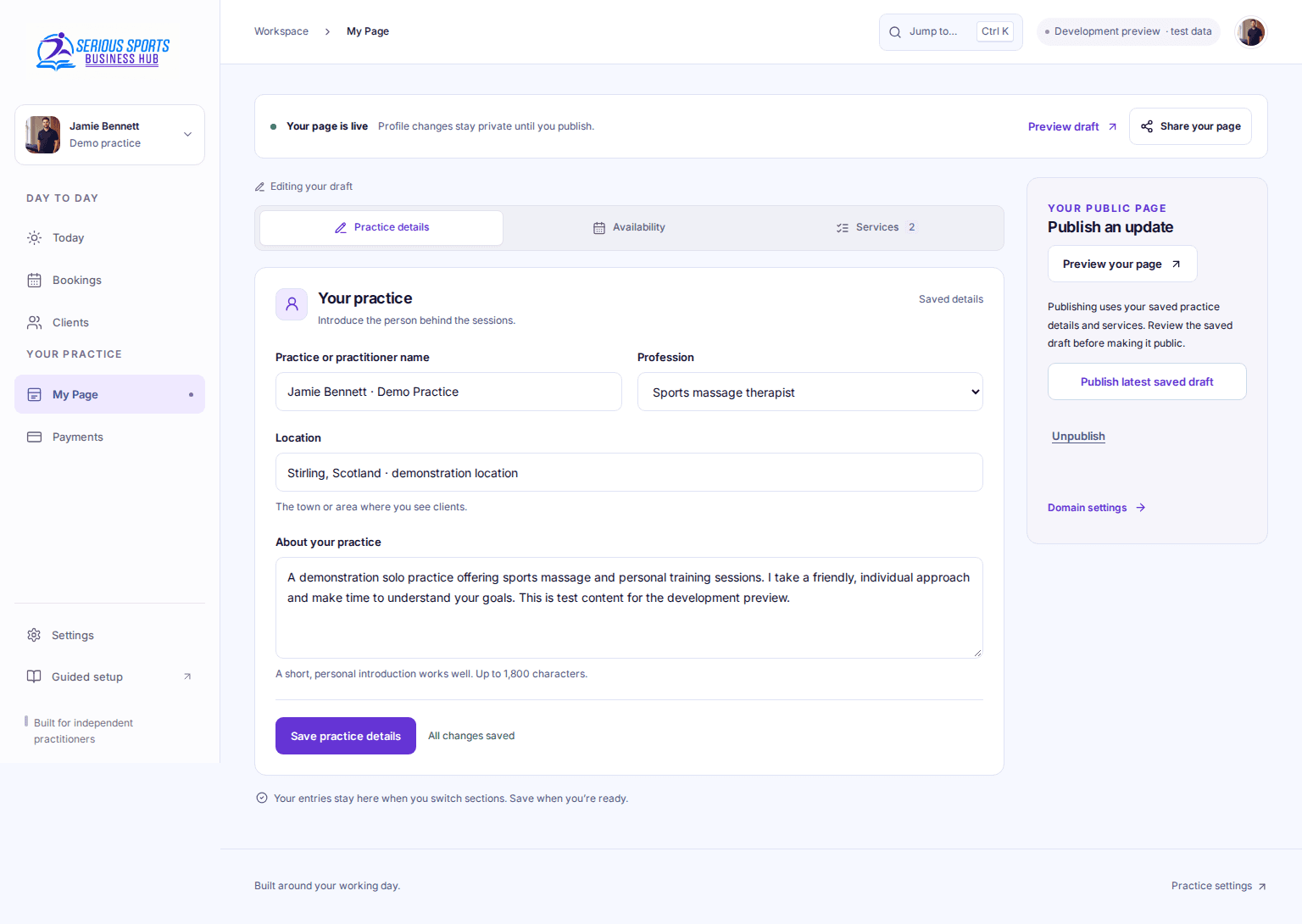
Development preview of the SSTA Business Hub practice-page editor using demonstration details

Around 3 minutes to read · Updated 10 September 2026

Published by Serious Sports Training Academy

At a glance

  • Name the service in language a new visitor recognises.
  • Explain whether the stated duration includes conversation and preparation.
  • Show a complete price statement rather than an unexplained number.
  • Keep service information consistent with the booking screen.

1. Gather the facts behind one service

Choose one service you are already qualified and equipped to offer. Make a private fact sheet with its name, intended audience, delivery format, appointment length, location, inclusions and actual charge. Keep proposed services out of the live menu until their details are settled.

GOV.UK describes a business plan as a way to clarify objectives and measure progress. The menu exercise below is an original small working document within that planning process; it is not a government template. If your working model is still undecided, use the existing business launch guide first.

2. Read a completed fictional entry

The following example describes the invented Harbour Practice, not SSTA or an actual offer. The amount demonstrates how to express a charge; it is not a recommended price.

Public example: “Sports massage appointment for adults seeking a one-to-one service. Attend at Harbour Practice, Room 2, Example House. The 45-minute appointment includes the opening discussion and preparation; it does not mean 45 minutes of massage. £45 total for one appointment, payable at the appointment. Home visits and exercise programmes are not included. Choose Request an appointment to ask about availability; your time is confirmed separately.”

Scroll sideways to compare the columns. Row labels stay visible.

2. Read a completed fictional entry
FieldWhat the example makes clearCheck against
Audience and formatAdults; one-to-one appointmentActual service scope
Duration45 minutes for the whole appointmentDiary allocation and service description
Price£45 total; payable at the appointmentCurrent published price
ExclusionsNo home visit or exercise programmeWhat can actually be supplied
ActionA request still needs confirmationBooking workflow

3. Remove claims that the menu cannot support

Replace vague tiers such as “ultimate recovery experience” with the practical difference between the choices. If two entries differ only in length, state that. If one includes a different format or venue, name that distinction. Avoid promising a particular health result as the reason to choose a longer appointment.

Use headings for individual services and a descriptive booking action. W3C WAI recommends meaningful headings and links. A visitor should understand the destination before following the link. Keep essential information as text rather than putting the whole menu into a photograph.

4. Test the entry without explaining it aloud

Ask a reader to identify the format, total appointment time, total charge, location and whether the next click books or enquires. Record any answer they have to guess. For example, if they say the fictional appointment provides 45 minutes of treatment, rewrite the duration sentence before adding another menu item.

Finally compare the entry with its corresponding booking option. A menu saying 45 minutes and a calendar saying 60 minutes needs a correction or an explanation. Put a review date on your private fact sheet and recheck both places whenever the service changes.

Common questions

Frequently asked questions

Should I create separate services for every audience?

Only where the service actually differs. A long menu of nearly identical choices makes selection harder. Start with the real difference in format, duration or delivery, then explain who each option is for.

What if I have not decided the price yet?

Keep the entry in your planning document until you can state the real charge or a clear, genuine quotation process. Do not publish the fictional amount from this exercise.

Sources and further reading

Continue researching

Related guides

Your next step

Connect your practice plans with training.

Explore SSTA’s current sports massage, gym instruction, personal training and mat Pilates course routes.